
WORDPRESS ARTICLE • MACOS • 2026 EDITION
A careful guide to Apple Mobile File Integrity, code-signing warnings, and restoring normal Mac security safely.
Original editorial illustration • For explanation only, not a screenshot of Respondus
A student may hear that LockDown Browser crashed because “AMFI was turned off.” That explanation sounds specific, but it needs checking. Apple Mobile File Integrity is part of macOS’s code-signing and trusted-execution machinery. Changes to those protections may affect how applications launch—but a generic crash notice does not prove AMFI is the culprit.
Important distinction: Respondus has published a specific, confirmed requirement that SIP must be fully enabled. I did not find an equivalent public Respondus support bulletin specifically identifying disabled AMFI as the reason for a standard LockDown Browser quit. This article explains the security concept and a safe diagnosis process, not a guaranteed one-command fix.
| THE SHORT ANSWER AMFI is a macOS code-integrity enforcement component, not a normal on/off switch in System Settings. Save the exact error, verify SIP separately, update macOS and LockDown Browser, and ask qualified support to review any nonstandard security or boot configuration. |
What is AMFI, and how could it affect applications?
AMFI stands for Apple Mobile File Integrity. Despite “Mobile” in its name, related integrity enforcement is used in macOS. In broad terms, it contributes to checking whether running code is permitted and whether its signing and security entitlements are acceptable.
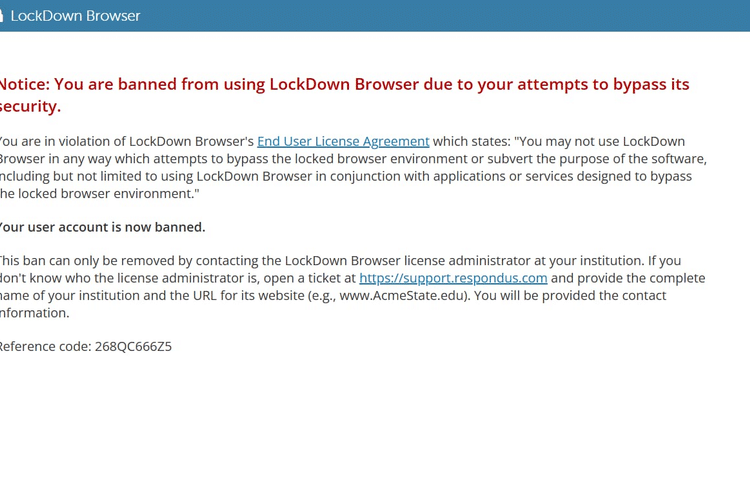
How To Hack Respondus Lockdown Browser in 2027
macOS code signing helps verify software integrity and developer identity. If the system has been altered to relax code-signing checks—or an application contains damaged, missing, or mismatched signed files—the normal expectations for safe program execution may not hold. Application startup could fail for several different reasons; this is a technical possibility, not a diagnosis of your particular LockDown Browser error.
SIP and AMFI are connected to system security but are not the same feature. Running csrutil status checks SIP, not AMFI. Seeing ‘SIP enabled’ alone does not independently prove AMFI is configured normally, and there is no Apple-approved universal AMFI status checkbox for students.
How to recognize the problem
- An error specifically refers to a code signature, integrity check, or damaged application component.
- A Mac was previously modified for software testing, developer utilities, or custom security configurations.
- Multiple signed applications experience launch failures, not just LockDown Browser.
- A message explicitly about SIP should be treated as a SIP issue first—not renamed an “AMFI error.”
How to fix it: step by step
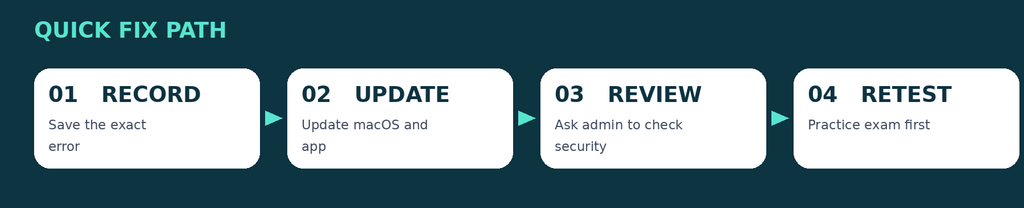
Quick troubleshooting path • Detailed instructions follow
Step 1. Save the precise error before changing settings
Record the wording, the app version, macOS version, and when the quit occurs. For macOS crash reports, open Console → Crash Reports if available. You can share a relevant report with campus IT, but remove personal information before posting publicly.
How to use CHatgpt during a proctored exam
Step 2. Check SIP as a separate, documented requirement
Open Terminal and run csrutil status. If it reports disabled or a custom configuration, follow the official SIP article and Apple’s Recovery instructions. This verifies SIP only; it is not an AMFI test.
Step 3. Install available macOS updates
Use Apple menu → System Settings → General → Software Update. On older macOS versions, the menu wording may differ. Restart afterward. Update only to a macOS version supported by your hardware and your school’s exam requirements.
Step 4. Update or reinstall LockDown Browser from the institution link
Open the browser and select the toolbar information control → Check for Update. If the app will not open, download a fresh installer from your school’s unique Respondus link, not an unrelated school or third-party download site.
Step 5. Ask an administrator to review nonstandard security settings
If you or an IT specialist previously changed startup arguments or code-signing policies, have the person who made those changes restore Apple’s normal supported configuration. Avoid blindly deleting NVRAM settings or pasting “AMFI fix” commands from social media.
Step 6. Retest with a practice quiz and escalate if needed
After restarting, try the college practice quiz. If the problem remains, send the exact error, Mac model, macOS version, and browser version to campus IT and Respondus Support. On a managed machine, only the administrator should make system-policy changes.
Step 7. Consider a macOS repair only with qualified help
If security components were altered and the administrator cannot restore them, a standard macOS reinstall without erasing data may be considered. Back up first and follow Apple’s official reinstall process; do not erase the Mac as a first step.
If the problem continues
- Do not turn off AMFI, SIP, Gatekeeper, or code-signing enforcement to make LockDown Browser run.
- A cryptic crash log mentioning amfid or code signing is only one diagnostic clue; an expert must interpret it with other evidence.
- Do not apply universal NVRAM reset instructions to a managed or dual-boot Mac without understanding existing settings.
- If an exam is imminent, contact the instructor about a campus computer or authorized alternative rather than modifying security in a rush.
Frequently asked questions
Is AMFI the same as SIP?
No. SIP protects system integrity; AMFI is associated with enforcing trusted code execution and signing policies. Changing or checking one does not necessarily establish the state of the other.
Is there a simple “enable AMFI” switch?
No documented student-facing switch is provided in macOS System Settings. Restoration depends on what was modified, so an administrator should review it.
Does Respondus officially identify disabled AMFI as a standalone cause?
I could verify a published SIP requirement, but not an equivalent Respondus bulletin for AMFI. Present any AMFI attribution as a possibility pending diagnosis.
Should I erase my Mac to fix an AMFI-related launch problem?
No. Start with capturing the error, updating, and an authorized security-configuration review. Reinstalling macOS without erasing is a later option after backing up and getting support.
Bypass All Proctored Exams EXAMPIE BYPASS:
Official documentation and further reading
- Apple: Code Signing Services
- Apple Developer Forums: Code Signing diagnostics
- Respondus: LockDown Browser for Mac System Integrity Protection
- Respondus: How to update LockDown Browser
- Apple: How to reinstall macOS
WordPress publishing notes
Suggested URL slug: amfi-lockdown-browser-mac-troubleshooting
Meta description: What is AMFI on macOS? Learn whether code-signing problems could affect LockDown Browser and how students can investigate without disabling security.
Suggested focus phrases: respondus lockdown browser amfi mac, apple mobile file integrity lockdown browser, lockdown browser code signature crash mac
Editorial note: Screens and menu labels can change with macOS and Respondus updates. This is independent educational guidance, not an official Respondus publication.